Being busy is easy to measure. Being productive, profitable and sustainable is a little more complicated.
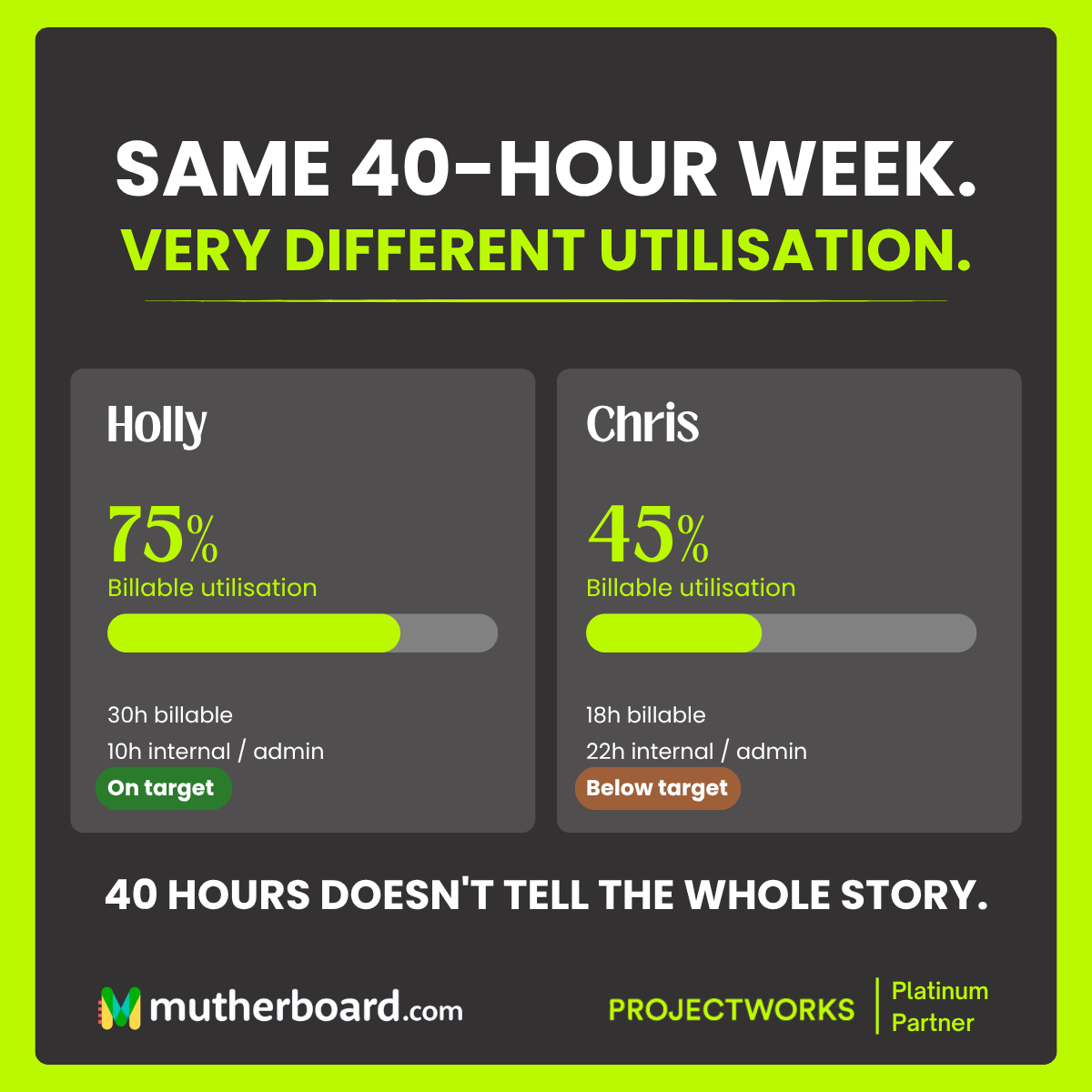
Picture two members of your team. Holly and Chris both work a 40-hour week. They show up, get through their tasks, attend meetings and contribute to the business. On paper, they have exactly the same amount of working time available.
But when you look at their billable utilisation, a very different picture emerges.
Holly spends 30 hours on billable work, giving her a utilisation rate of 75%. Chris spends 18 hours on billable work, giving him a rate of 45%.
That is a 30-percentage-point difference, despite both working the same number of hours.
So, what is happening during those remaining hours? Is Chris spending too much time on internal administration? Is Holly taking on too much client work? Does Chris have capacity for another project, or is he struggling with inefficient processes that prevent him from getting more done?
These are the kinds of questions utilisation reporting can help answer. And for professional services businesses, understanding the answers can make a significant difference to profitability, resource planning and team wellbeing.
Why being busy is not the same as being productive
It is tempting to assume that a full calendar and a long task list are signs of a productive team. However, a busy team is not necessarily an efficient one.
Employees can spend their days jumping between meetings, updating spreadsheets, chasing project information and dealing with disconnected systems. They may be working hard, but not necessarily spending their time on activities that generate revenue or move projects forward.
On the other hand, a team with high billable utilisation is not automatically a healthy team either. If employees are consistently stretched beyond their capacity, there may be little room for training, internal improvements, unexpected client requests or simply taking a proper break.
The goal is not to maximise billable hours at all costs. It is to understand how time is being spent and whether that time is supporting the wider goals of the business.
Utilisation reporting gives you the visibility to look beyond how busy people appear and understand what is actually happening.
What does billable utilisation tell you?
Billable utilisation measures the proportion of an employee's available working time spent on billable client work.
The basic calculation is:
Billable utilisation = Billable hours ÷ Available working hours × 100
For example, if an employee has 40 available working hours and spends 30 of them on billable work, their utilisation rate is 75%.
The remaining 10 hours might be spent on internal meetings, administration, training, business development or other non-billable activities.
For a consulting firm, agency or professional services business, this information helps leaders understand how effectively their team's available time is being used to deliver client work.
However, the percentage alone does not tell the whole story. To make informed decisions, you need to understand what is driving that number.
Holly vs Chris: the same hours, different outcomes
Let's return to our two team members.
Holly: 75% billable utilisation
Holly spends 30 hours a week on billable work and 10 hours on internal activities.
Her utilisation rate is 75%, which may be perfectly healthy for her role and the business's target. She is delivering client work while still leaving some time for the internal responsibilities that keep the business running.
But what if Holly's utilisation starts creeping towards 90% or 95% week after week? She might look like a star performer on a dashboard, but she could be heading towards burnout. There may also be little room for unexpected work, professional development or supporting colleagues.
Chris: 45% billable utilisation
Chris spends 18 hours a week on billable work and 22 hours on internal activities.
His utilisation rate is considerably lower. That might suggest he has capacity for additional client work, but it is important not to jump to conclusions.
Perhaps Chris is responsible for mentoring junior colleagues, supporting sales activity or managing internal projects. Maybe he is waiting for work to be allocated, or spending hours manually transferring information between systems.
Each scenario requires a different response. Adding more client work might be appropriate in one case, while improving processes or rebalancing responsibilities could be the better solution in another.
The important thing is that utilisation data gives you a starting point for the right conversation.
Four things utilisation reporting can reveal
1. Where your team has capacity
Without a clear view of utilisation, resource planning can become a guessing game. Managers might allocate new projects to the people who seem available, rather than those who genuinely have the capacity to take on more work.
Utilisation reporting helps identify where time is being spent and where additional work might fit. Combined with upcoming project commitments and resource forecasts, it can help you allocate work more effectively, balance workloads and make better decisions about when to recruit.
2. Where non-billable time is adding up
Non-billable work is an essential part of running a business. Internal meetings, training, sales activity and administration all have their place.
The problem arises when too much time is lost to activities that could be streamlined, automated or managed more efficiently.
If your team consistently spends hours chasing updates, duplicating data or preparing reports manually, that is worth investigating. Better processes and integrations could free up time for higher-value work without putting additional pressure on employees.
3. Whether your workloads are sustainable
High utilisation can look fantastic on a spreadsheet, but it needs context.
If your most experienced employees are consistently operating at capacity, you could be creating bottlenecks, increasing burnout risk and leaving the business vulnerable when someone is absent or a project changes unexpectedly.
Monitoring utilisation alongside workload forecasts, project deadlines and employee feedback helps you spot potential problems before they become bigger ones.
The aim is to find a sustainable balance between delivering client work and giving people enough breathing room to do it well.
4. Whether your projects are supporting profitability
Utilisation is an important part of the wider financial picture. When you understand how much time your team spends on billable work, you can make more informed decisions about project pricing, delivery costs and resource allocation.
It can also help highlight projects that require more effort than expected, particularly when actual time is compared with budgets and estimates.
However, utilisation should never be viewed in isolation. Revenue, margins, project overruns, write-offs and client outcomes all help explain whether your business is performing well.
How Projectworks helps you see the bigger picture
You cannot make good resourcing decisions if you are working with incomplete information.
When timesheets, project budgets, resource plans and financial reports live in separate places, understanding team utilisation can involve a lot of manual work. By the time the numbers are pulled together, the situation may already have changed.
Projectworks helps professional services businesses bring project delivery, time tracking, resource management and financial visibility together. This makes it easier to understand how time is being used, monitor utilisation and connect resource decisions with project performance.
Instead of relying on assumptions about who is busy and who has capacity, you can use better information to ask more useful questions.
Where is the team under pressure? Which people have room for additional work? Are projects consuming more time than expected? Could changes to your processes help reduce unnecessary administration?
These insights support more informed decisions about resource allocation, project planning and business performance.
And when your systems are connected, it becomes easier to spend less time gathering information and more time acting on it.
How to use utilisation data without turning it into a numbers game
Utilisation reporting is most useful when it encourages better decisions, rather than becoming another metric employees feel pressured to chase.
Here are four practical ways to get more value from it:
-
Set realistic targets. Utilisation expectations should reflect different roles, responsibilities and the needs of your business. A delivery consultant and an internal operations manager will not necessarily have the same target.
-
Look at trends, not just snapshots. A single week rarely tells the whole story. Reviewing utilisation over time helps you identify recurring patterns, seasonal changes and potential capacity issues.
-
Understand the reasons behind the numbers. A low utilisation rate is not automatically a performance problem, just as a high rate is not automatically a sign of success. Talk to your team and investigate what is driving the results.
-
Use the data to improve the way you work. If non-billable administration is taking up too much time, look at your processes. If workloads are consistently unbalanced, review your resource allocation. If projects are overrunning, investigate the causes.
The aim is to use data to improve the working environment and business outcomes, not simply to make the percentages look better.
The real goal is a healthier business, not a busier team
Holly and Chris both work 40 hours a week. Their utilisation figures show that their time is being spent differently, but those numbers alone do not tell us who is performing better or who is contributing more value.
What they do provide is a starting point for understanding capacity, identifying inefficiencies and making better decisions.
For professional services businesses, that visibility matters. It helps leaders plan resources more confidently, protect team wellbeing and understand how effectively the business is turning available time into valuable client work.
Because a full calendar is not a business strategy. And keeping everyone busy is not the same as running a healthy business.
With the right utilisation reporting and resource management tools, you can move beyond guesswork and start making decisions based on what is really happening across your team.
Want to get a clearer picture of your team's utilisation and capacity?
Projectworks can help you connect the dots between people, projects and performance. Get in touch with mutherboard to explore how better resource management can help your business work smarter.